
Certificates · Awards · Appointment letters
Bring a name list.
Finish every certificate on your phone.
Pick a template, add names, and place your stamp. Make one or hundreds, save them as PNG, JPG, or PDF, and send them by text or messenger.
Android only · No sign-up · All features free
What is Certificate & Award Maker?
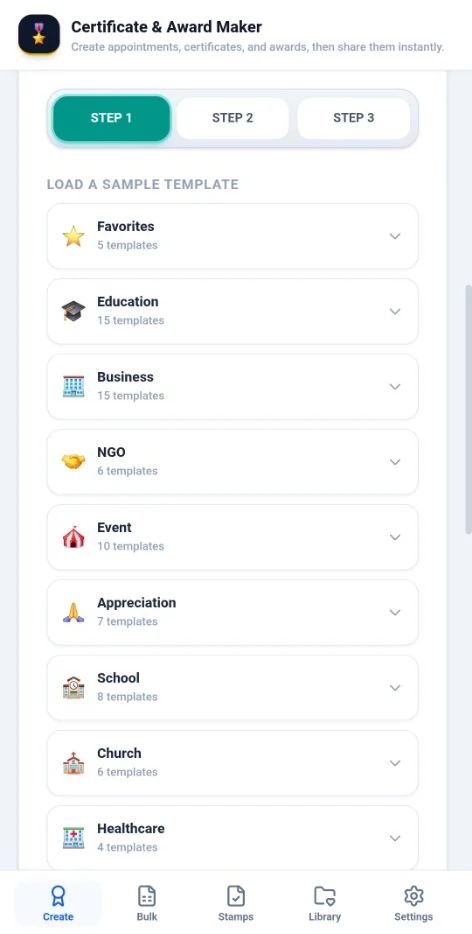
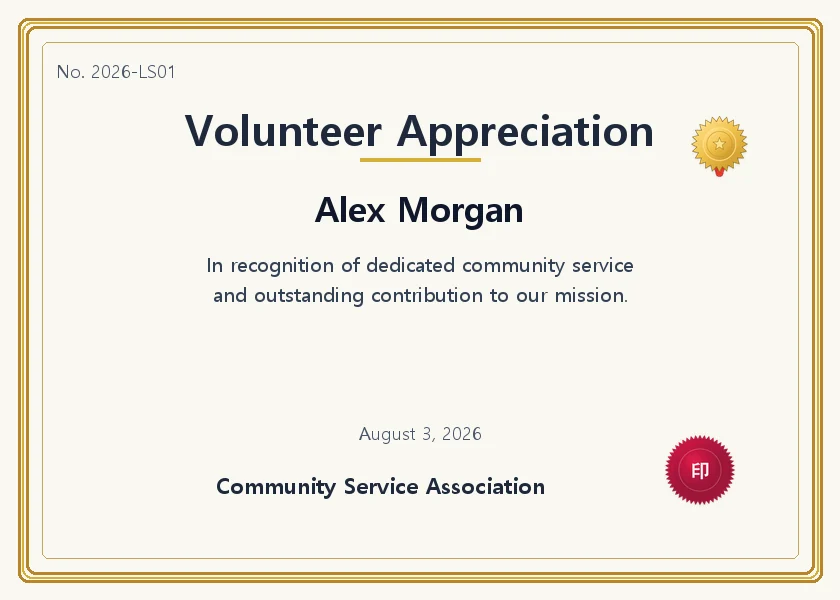
Certificate & Award Maker is an Android app for creating, saving, and sending appointment letters, certificates, and awards from your phone. Add names and a stamp to one of 100+ templates in 12 categories, one at a time or in bulk from an Excel or CSV list. There is no sign-up, and your certificates and lists are stored on your device, not on a server.
No. 1
Why does making a few certificates take so long?
Edit a name, save, repeat
Changing each recipient by hand in a Word file is slow, and typos slip in along the way.
Stamps and logos, every single time
You end up finding the stamp and logo and lining them up again for each new batch.
The template is back at the office
If you need one more at the event and the file is on a desktop, you have to wait until you get back.
No. 2
Add a name and try it now
A quick preview using sample wording. Enter one name per line and each person gets a certificate with their own serial number.
This preview is for reference only and has no legal effect. What you enter is not sent to any server and stays in this browser.
Save this certificate and send it on KakaoTalk (free app)No. 3
What the app can do
- 100+ templates
- Choose from 12 categories: education, business, volunteering, events, appreciation, school, church, healthcare, credentials, online courses, letters, and commendations. Includes 12 frame themes and portrait or landscape A4.
- Bulk creation from a list
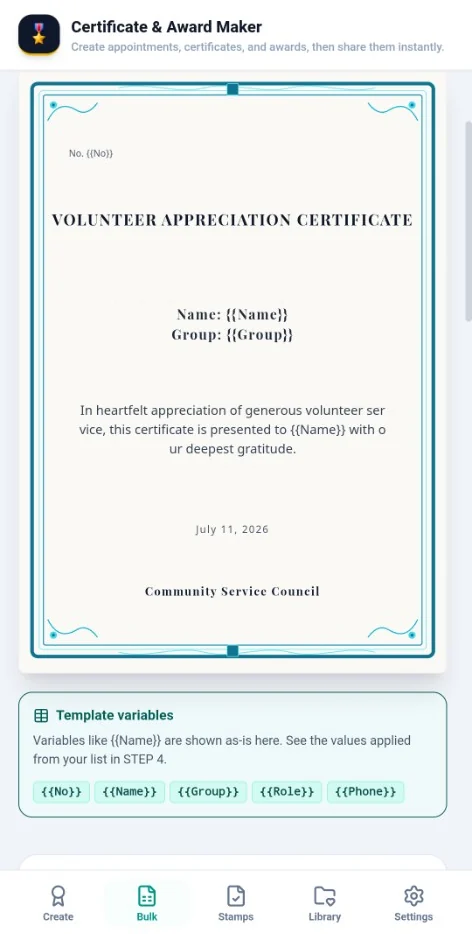
- Open an Excel or CSV file, or paste into the grid, and each person's details fill in {{Name}} and {{Group}}. Preview and fix any row.
- Custom stamps
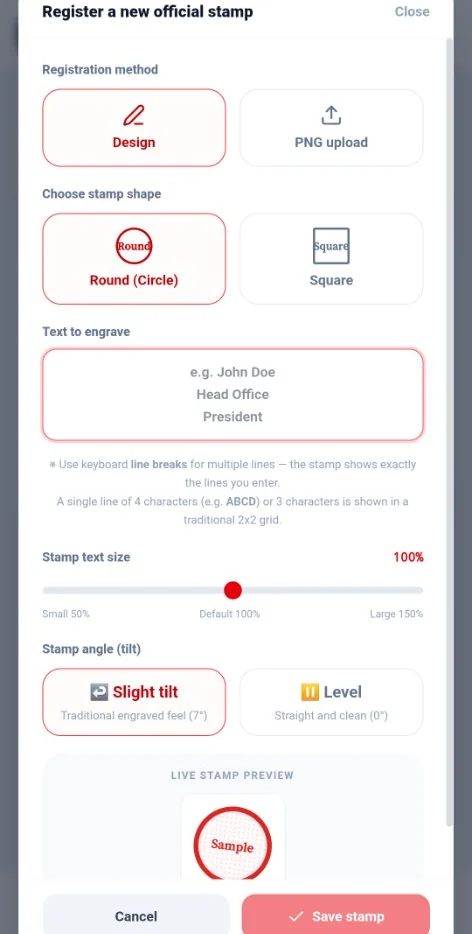
- Type text to make a round or square stamp, or upload a PNG. Adjust the size and tilt.
- Logos, signatures, and background forms
- Save your logo and signature for reuse. You can also place a photo of an existing certificate as the background and add only the names.
- Save as files
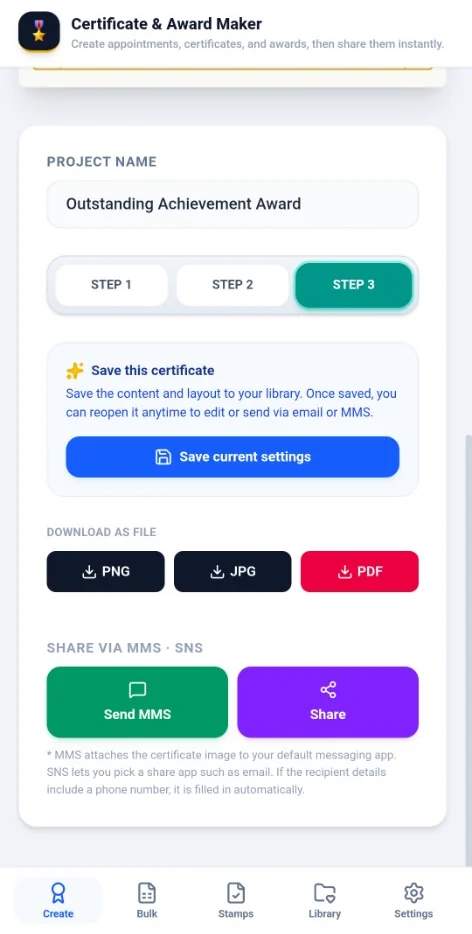
- Export PNG, JPG, or A4 PDF in screen or print quality. Bulk sets can be bundled into a ZIP or a single PDF.
- Send by text or messenger
- Your messaging app opens with the certificate attached and the number filled in. Choose KakaoTalk, email, and more from the share sheet.
- Undo your mistakes
- Moved something by accident? Undo and redo up to 20 steps while you design.
- 27 languages
- Use the app in 27 languages, including right-to-left languages such as Arabic.
Real app screens
No. 4
Your lists stay on your phone
No sign-up
You do not create an account with an email or phone number. Install it and start.
Nothing goes to our servers
Certificate content, recipient names, phone numbers, and stamp images are stored only on your device. We cannot see them.
Google services run when you are online
When you open the app, the Google ads SDK runs, and some non-Latin fonts come from Google Fonts. Your certificates and lists are not sent.
You make your own backups
There is no copy on a server, so create a JSON backup in Settings and move it before you change phones.
No. 5
All features are free
The app sells nothing. No account or payment details are needed.
Free
KRW 0
- All 100+ templates
- No limit on bulk recipients
- Stamps, logos, signatures, background forms
- PNG, JPG, PDF, and ZIP export
- No ads in the current version
No. 6
Frequently asked questions
Is it really free?
Yes. All features, including templates and bulk creation, are free. The app sells nothing, and the current version has no ads.
Do I need an account?
No. Install the app and start right away with no account.
Is it available on iPhone?
Not at this time. The app is available on Android only.
Can I use my Excel list as is?
Yes. Open an xlsx, xls, or csv file and match each column to a field such as name or group, and a certificate is made for each person. You can also paste into the grid.
How do I add a stamp?
On the Organization screen, type text to make a round or square stamp, or upload a PNG. You can then place saved stamps on a certificate while designing.
How do I print?
Save a PDF in print quality and print it from a PDF viewer. If the border gets cut off, choose Fit to page or No margins in your print settings.
Can I send certificates by text or KakaoTalk?
Yes. Tap Send MMS and your messaging app opens with the certificate attached, with the number filled in if your list has one. Tap Share to choose KakaoTalk, email, or another app.
Are my lists uploaded to a server?
No. Lists and certificates stay on your device and are not sent to our servers. When you are online, the app talks to Google services for the ads SDK and some fonts, but your lists and certificate content are not included.
What happens to my data if I change phones?
Create a JSON backup in Settings, move it to your new phone, and restore it. If you reset your device or delete the app without a backup, we cannot recover your data.
Do certificates from the app have legal effect?
The app is a tool for making documents and does not guarantee their legal effect. Only an organization or person with the authority to issue a document should issue it.
Get your next batch of certificates ready on your phone
Install it and start with no account.
Get it free on Google Play